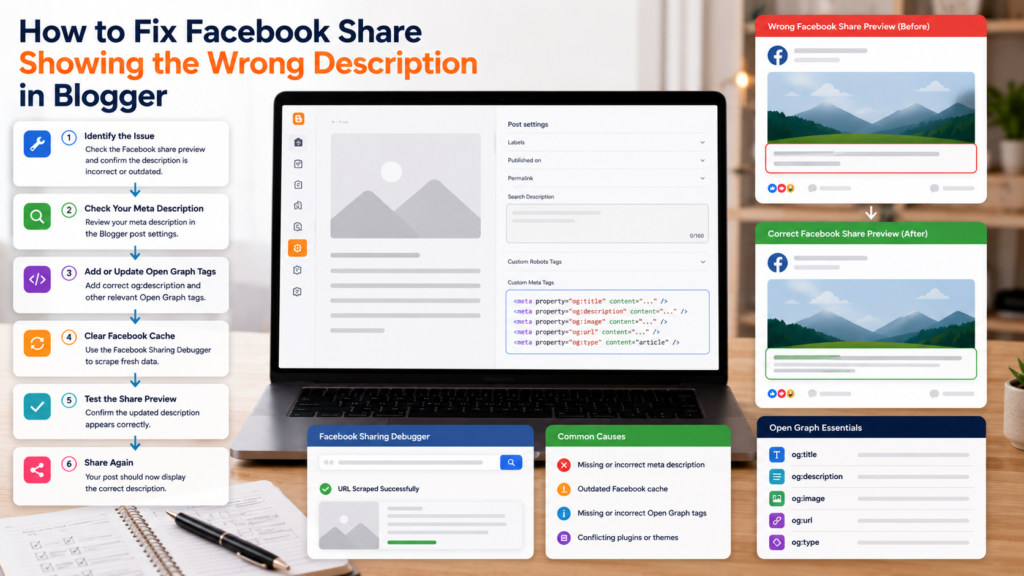
Few things are more frustrating for bloggers than sharing an article on Facebook and discovering that the preview displays the wrong description.
You may have carefully written a custom summary, updated your metadata, and published your content, only to find that Facebook continues showing outdated text, irrelevant content, or information from another section of the page.
This issue is surprisingly common among Blogger users and is usually related to how Facebook reads and caches metadata.
The good news is that most social preview problems can be diagnosed and fixed with a structured approach.
This guide explains why Facebook previews break, how Open Graph metadata works, and what steps you can take to ensure your content displays correctly when shared.
Why Facebook Shares Sometimes Show the Wrong Description
When someone shares a page, Facebook does not simply copy the visible content from the page.
Instead, it reads metadata embedded within the page source.
This metadata helps Facebook understand:
- The page title
- The page description
- The featured image
- The page URL
- Content type
If this information is missing, incomplete, outdated, or conflicting, Facebook may generate its own description using content from the page.
As a result, the preview shown to users may not match what you intended.
A wrong preview can make good content look broken before anyone clicks.
Understanding Open Graph Metadata
Most social platforms rely on Open Graph metadata to generate previews.
Open Graph is a structured set of metadata fields that help social networks understand content.
Typical Open Graph information includes:
- Page title
- Description
- URL
- Image
- Content type
When Open Graph information is missing or inconsistent, social networks often attempt to generate previews automatically.
This is why understanding Open Graph for blogs is important for anyone publishing content online.
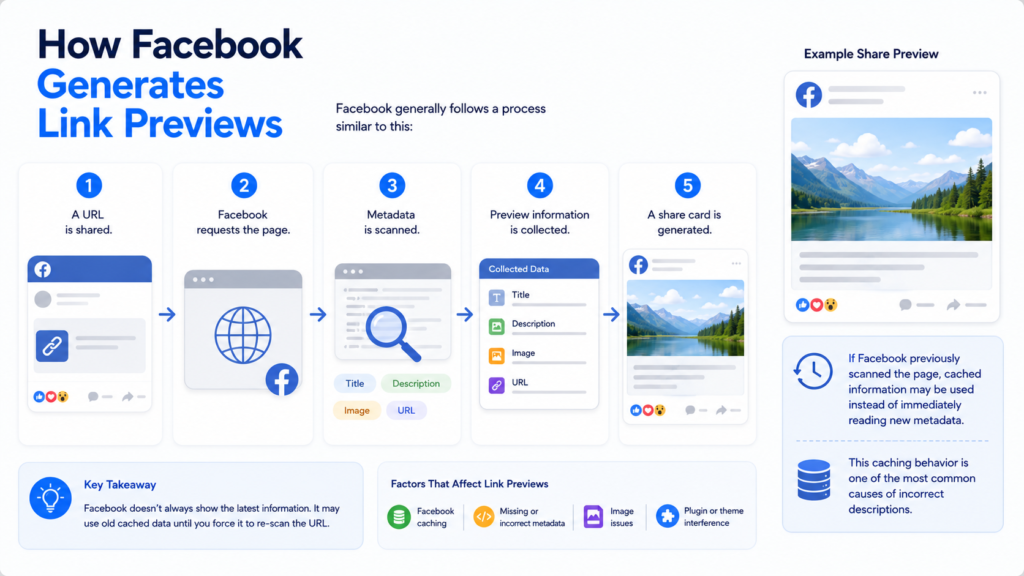
How Facebook Generates Link Previews
Facebook generally follows a process similar to this:
- A URL is shared.
- Facebook requests the page.
- Metadata is scanned.
- Preview information is collected.
- A share card is generated.
If Facebook previously scanned the page, cached information may be used instead of immediately reading new metadata.
This caching behavior is one of the most common causes of incorrect descriptions.
Common Reasons Facebook Shows the Wrong Description
Missing Meta Descriptions
Without a clear description, Facebook may extract text from the page itself.
Outdated Cached Data
Facebook often stores metadata temporarily.
Changes may not appear immediately.
Multiple Metadata Sources
Conflicting metadata can create confusion.
Incomplete Open Graph Fields
Missing social metadata can result in inconsistent previews.
Poor Content Structure
If metadata is unclear, Facebook may choose content from headings, paragraphs, or unrelated sections.
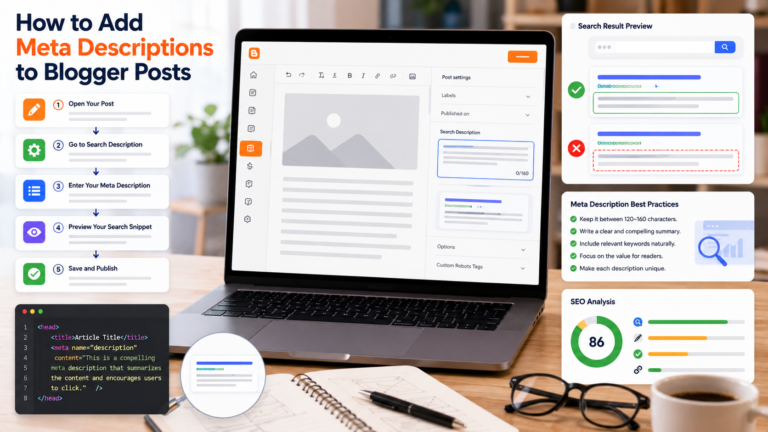
Check Your Blogger Meta Description
The first troubleshooting step is reviewing the page description.
Verify that:
- A custom description exists
- The description matches the article
- The description is clear and concise
Strong metadata improves both social sharing and search visibility.
Many Blogger users start by reviewing their blog SEO settings to ensure metadata has been configured correctly.
Review Open Graph Information
Next, examine the social metadata available on the page.
Check that:
- The page title is correct
- The description is accurate
- The featured image is appropriate
- URLs are consistent
Small metadata errors can create unexpected preview behavior.
Refresh Facebook’s Cached Version
One of the most common fixes involves refreshing cached information.
Even after updating metadata, Facebook may continue displaying an older version of the preview until the cache is refreshed.
If a page recently changed:
- Wait for updates to propagate
- Recheck metadata
- Request a new preview scan if available
Caching delays account for many preview issues.
Verify Featured Images
Descriptions are not the only elements affected by metadata.
Facebook previews also rely heavily on images.
Ensure that:
- Images are accessible
- Images load correctly
- The featured image represents the content
- Metadata references the intended image
Visual consistency improves both usability and click-through potential.
Understanding Metadata Consistency
Metadata should be aligned across all platforms.
The page should present consistent information through:
- Search metadata
- Social metadata
- Page titles
- Content summaries
Consistency reduces confusion and improves how content is interpreted.
Many publishers treat social sharing fixes as part of a broader metadata strategy rather than isolated troubleshooting tasks.
Common Mistakes
Updating Content But Not Metadata
Article revisions may leave old descriptions behind.
Duplicate Descriptions
Multiple pages using identical descriptions can create ambiguity.
Ignoring Social Metadata
Search metadata and social metadata often require separate consideration.
Using Generic Summaries
Descriptions should accurately describe each page.
Forgetting Cached Versions
Even correct metadata may not appear immediately if cached information is still being displayed.
Why Social Metadata Matters
Social previews influence how content appears across:
- Messaging apps
- Collaboration tools
- Social networks
- Content-sharing platforms
Metadata increasingly affects content visibility beyond traditional search engines.
As digital publishing evolves, metadata will play a larger role in feeds, messaging applications, and AI-generated content previews.
Building Better Metadata Practices
Fixing a broken preview is useful, but preventing future issues is even better.
Consider developing a consistent workflow that includes:
Custom Descriptions
Create unique summaries for every important page.
Preview Reviews
Check how content appears before sharing.
Metadata Audits
Review pages periodically.
Content Consistency
Ensure metadata reflects actual content.
These practices improve reliability across multiple platforms.
For additional guidance, review your blog SEO settings, learn more about Open Graph for blogs, and explore practical social sharing fixes that improve content presentation across modern publishing platforms.
Frequently Asked Questions
Why does Facebook show the wrong description?
Usually because of outdated cached data, missing metadata, or conflicting page information.
What is Open Graph?
A metadata standard used by social platforms to generate content previews.
Can Blogger support Open Graph metadata?
Yes. Blogger themes and settings can include metadata that supports social previews.
Why do changes not appear immediately?
Facebook often caches page information and may continue displaying older metadata temporarily.
Does metadata affect other platforms?
Yes. Many social networks, messaging apps, and content-sharing services rely on metadata to generate previews.
Final Thoughts
Facebook preview issues are usually caused by metadata problems rather than content problems.
By understanding how Open Graph works, reviewing metadata carefully, and ensuring descriptions remain accurate and consistent, Blogger users can improve how their content appears when shared across social platforms.
As content discovery expands beyond traditional search engines, properly managed metadata will continue playing an important role in social sharing, audience engagement, and content presentation.