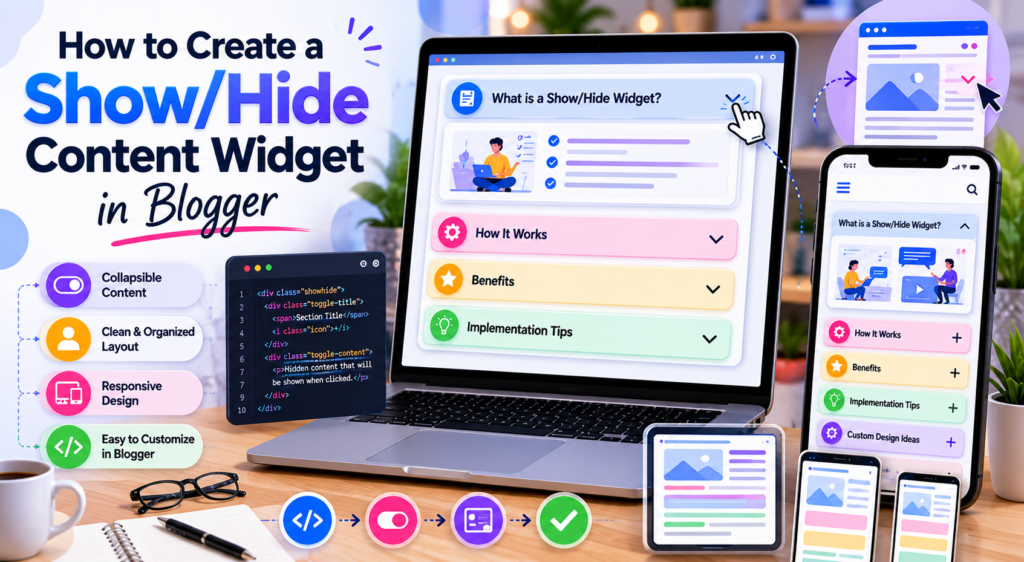
As blog content becomes longer and more detailed, readability becomes increasingly important. Readers often appreciate content that is easy to scan, navigate, and consume without feeling overwhelmed by large blocks of text.
One simple solution is a Show/Hide Content Widget, sometimes referred to as a collapsible content section or “peekaboo” widget. This type of interactive element allows readers to reveal or hide information when needed, reducing visual clutter while keeping valuable content accessible.
Although show/hide widgets have been used on Blogger websites for many years, they remain useful today because they support cleaner layouts, better organization, and improved user experience.
This guide explains how collapsible content works, when it should be used, and what Blogger users should consider when implementing interactive content sections.
What Is a Show/Hide Content Widget?
A Show/Hide Content Widget is an interactive element that allows users to expand or collapse content sections.
Instead of displaying all information immediately, part of the content remains hidden until the reader chooses to reveal it.
Common examples include:
- Frequently Asked Questions
- Step-by-step instructions
- Additional explanations
- Technical notes
- Resource lists
- Optional reading sections
The goal is not to hide information permanently but to present it in a more organized and manageable format.
Why Use Collapsible Content?
Long articles often contain supporting information that some readers need while others may want to skip.
A collapsible section helps by:
- Reducing visual clutter
- Improving content organization
- Supporting easier scanning
- Keeping layouts cleaner
- Improving mobile usability
- Making lengthy articles more manageable
Interactive content can make long posts easier to read because readers control how much information they see at any given moment.
Common Use Cases
Show/hide sections work particularly well for:
FAQ Pages
Readers can expand only the questions they want answered.
Tutorial Articles
Advanced explanations can be hidden until needed.
Resource Collections
Large lists can be organized into expandable groups.
Product Comparisons
Additional specifications can remain collapsed by default.
Documentation
Supporting information can be displayed without overwhelming readers.
Many modern HTML widgets use collapsible content because it improves readability while maintaining access to detailed information.
How Collapsible Content Improves User Experience
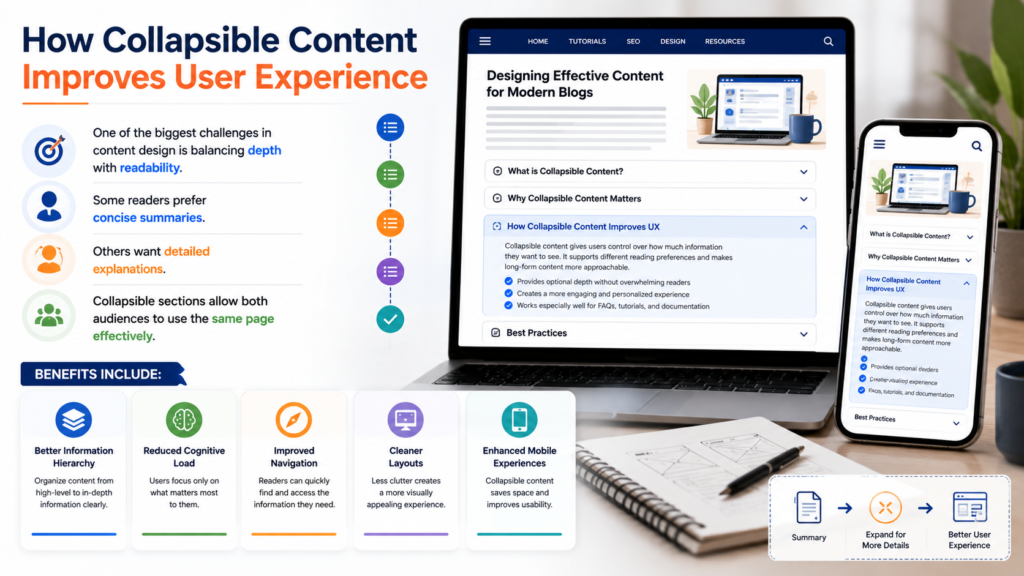
One of the biggest challenges in content design is balancing depth with readability.
Some readers prefer concise summaries.
Others want detailed explanations.
Collapsible sections allow both audiences to use the same page effectively.
Benefits include:
- Better information hierarchy
- Reduced cognitive load
- Improved navigation
- Cleaner layouts
- Enhanced mobile experiences
This flexibility is one reason collapsible sections remain popular among publishers and content creators.
Accessible Structure Matters
Accessibility should always be considered when implementing interactive features.
A collapsible widget should be usable by:
- Keyboard users
- Screen reader users
- Mobile users
- Desktop users
Good accessibility practices include:
Clear Labels
Users should understand what will happen when they interact with the control.
Visible State Changes
Readers should know whether content is expanded or collapsed.
Consistent Behavior
The widget should function predictably across devices.
Readable Content
Expanded sections should remain easy to navigate and understand.
As interactive design evolves, accessibility will become increasingly important for all types of interactive blog elements.
Planning Your Content Structure
Before adding collapsible sections, determine which information should remain visible.
Generally:
Keep Core Information Visible
Important content should always be accessible without interaction.
Collapse Supporting Information
Optional details can be hidden behind expandable sections.
Avoid Overusing Widgets
Too many collapsible areas can create confusion.
Group Related Information
Organize content logically so readers understand the structure.
Thoughtful organization creates a better overall experience.
Customization Ideas
Show/hide widgets can be adapted in several ways.
Expandable FAQs
Each question reveals a corresponding answer.
Accordion Layouts
Opening one section automatically closes others.
Resource Libraries
Readers can expand categories independently.
Tutorial Walkthroughs
Additional details can appear when requested.
Sidebar Content Blocks
Optional resources can remain hidden until needed.
These approaches help create more useful and engaging interactive blog elements throughout a website.
Common Mistakes
Hiding Important Content
Critical information should not be buried inside collapsed sections.
Poor Labels
Readers should immediately understand what each section contains.
Excessive Nesting
Multiple layers of hidden content can become difficult to navigate.
Mobile Testing Failures
Always verify that interactions work properly on touch devices.
Ignoring Accessibility
Interactive elements should remain usable for all visitors.
Many issues can be avoided by following established blog customization tutorials and testing thoroughly before deployment.
Mobile and Accessibility Considerations
Responsive design is especially important for collapsible widgets.
On smaller screens:
- Buttons should be easy to tap
- Text should remain readable
- Content should expand smoothly
- Layout shifts should be minimized
Mobile users often benefit significantly from collapsible content because it reduces scrolling and improves navigation.
Frequently Asked Questions
What is a show/hide widget?
A widget that allows users to reveal or hide content sections through interaction.
Is collapsible content good for long articles?
Yes. It can improve readability by reducing visual clutter.
Should all content be collapsible?
No. Core information should remain visible while supporting details can be hidden.
Are show/hide widgets mobile-friendly?
They can be highly effective on mobile devices when designed correctly.
Why is accessibility important?
Accessible design ensures that all users can interact with content regardless of device or ability.
Final Thoughts
A Show/Hide Content Widget is a practical way to improve organization, readability, and usability on Blogger websites.
By allowing readers to reveal information when needed, collapsible content creates cleaner layouts while preserving access to valuable details. Whether used for FAQs, tutorials, resource pages, or documentation, these widgets can help make complex information easier to navigate.
As blogs continue adopting more interactive experiences, accessibility and user-friendly design will become increasingly important. Well-designed HTML widgets, thoughtful interactive blog elements, and effective blog customization tutorials can help create a better experience for every visitor.