Long-form content has become increasingly common in blogging. Detailed tutorials, resource guides, documentation, and educational articles often contain thousands of words spread across multiple sections.
While comprehensive content can be valuable, it also creates a challenge: helping readers quickly find the information they need.
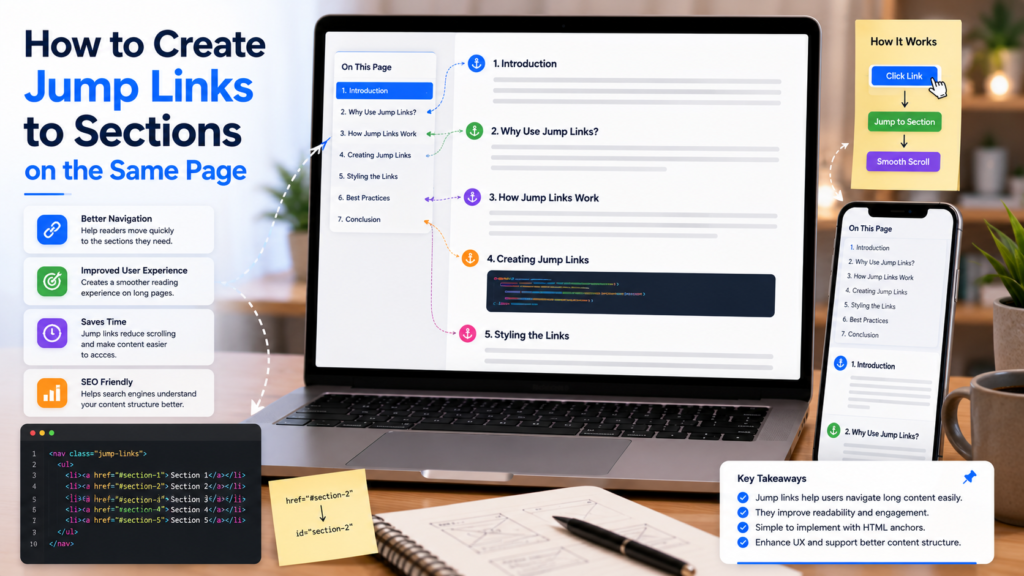
One of the simplest solutions is using jump links. Also known as anchor links or same-page links, jump links allow visitors to navigate directly to specific sections within a page without excessive scrolling.
For Blogger users creating longer articles, jump links can significantly improve navigation, readability, and overall user experience.
What Are Jump Links?
Jump links are clickable links that move readers to a specific location on the same page.
Instead of loading a new page, the browser automatically scrolls to a designated section.
Common examples include:
- Table of contents links
- FAQ navigation
- Documentation indexes
- Long-form tutorials
- Resource directories
- Step-by-step guides
Most readers have encountered jump links when clicking a table of contents at the top of an article and being taken directly to the relevant section.
Why Use Jump Links?
Long articles often contain multiple sections that address different questions.
Without navigation aids, readers may need to scroll extensively to locate specific information.
Jump links help by:
- Improving navigation
- Reducing scrolling
- Making content easier to scan
- Supporting long-form content
- Improving accessibility
- Helping readers find answers faster
Long content becomes easier when readers can jump directly to what they need.
Understanding HTML Anchor Links
Jump links rely on HTML anchor links.
The concept is simple:
- A section receives a unique identifier.
- A link points to that identifier.
- Clicking the link moves the reader to the target section.
This approach has existed since the early days of HTML and remains one of the most reliable navigation techniques available.
Today, HTML tutorials for bloggers frequently recommend anchor links because they are lightweight, user-friendly, and compatible with virtually every website platform.
Common Use Cases
Table of Contents Navigation
One of the most popular uses for jump links is creating a table of contents.
Readers can quickly navigate between sections of a long article.
FAQ Pages
Users can jump directly to specific questions and answers.
Tutorials
Step-by-step guides become easier to navigate.
Resource Hubs
Large collections of content can be organized into categories and sections.
Documentation
Technical articles often rely heavily on anchor navigation.
Creating a Table of Contents
A table of contents is essentially a collection of jump links placed near the top of an article.
A typical structure includes:
- Introduction
- Main sections
- Subsections
- FAQ
- Conclusion
When readers click an item, they are taken directly to the corresponding section.
For bloggers publishing detailed guides, a table of contents for blogs can significantly improve usability and reduce frustration.
When Should You Use Jump Links?
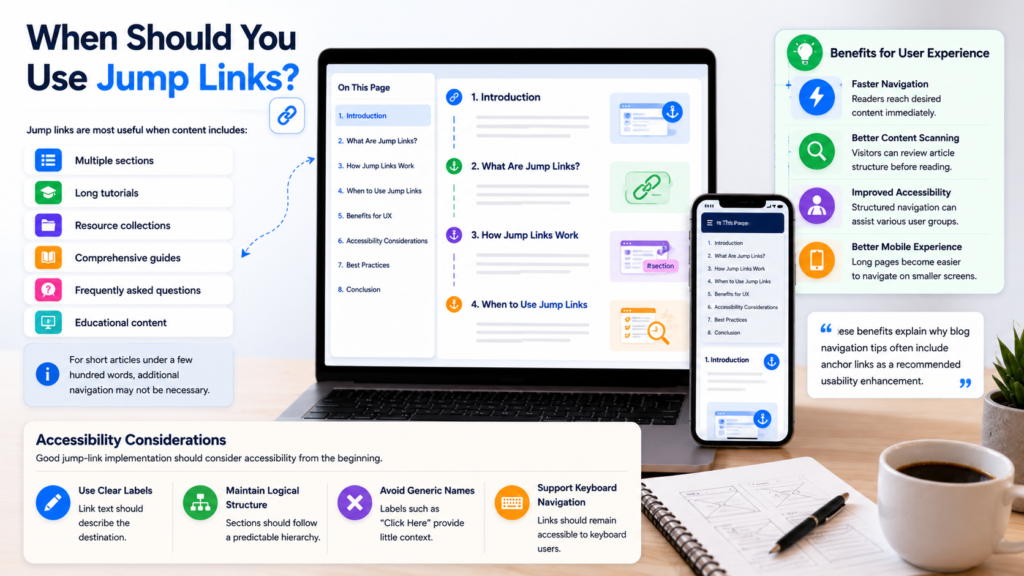
Jump links are most useful when content includes:
- Multiple sections
- Long tutorials
- Resource collections
- Comprehensive guides
- Frequently asked questions
- Educational content
For short articles under a few hundred words, additional navigation may not be necessary.
Benefits for User Experience
Navigation is one of the most important aspects of content design.
Readers generally prefer finding answers quickly rather than scrolling through large amounts of text.
Jump links support:
Faster Navigation
Readers reach desired content immediately.
Better Content Scanning
Visitors can review article structure before reading.
Improved Accessibility
Structured navigation can assist various user groups.
Better Mobile Experience
Long pages become easier to navigate on smaller screens.
These benefits explain why blog navigation tips often include anchor links as a recommended usability enhancement.
Accessibility Considerations
Good jump-link implementation should consider accessibility from the beginning.
Use Clear Labels
Link text should describe the destination.
Maintain Logical Structure
Sections should follow a predictable hierarchy.
Avoid Generic Names
Labels such as “Click Here” provide little context.
Support Keyboard Navigation
Links should remain accessible to keyboard users.
Accessibility becomes increasingly important as websites aim to serve broader audiences and improve overall usability.
Common Mistakes
Too Many Links
Excessive navigation options can overwhelm readers.
Poor Section Names
Unclear headings make navigation less effective.
Broken Anchors
Incorrect identifiers can cause links to fail.
Overcomplicated Structures
Simple navigation is usually more effective than highly nested systems.
Ignoring Mobile Users
Always test navigation on different screen sizes.
Jump Links and Long-Form Content
As blog articles become longer and more comprehensive, structured navigation becomes increasingly valuable.
Many modern publishers include:
- Table of contents sections
- Jump links
- Related content blocks
- Internal navigation systems
These features help readers move efficiently through content and improve overall engagement.
For bloggers interested in improving usability, combining jump links with HTML tutorials for bloggers, a well-designed table of contents for blogs, and practical blog navigation tips can create a much better reading experience.
Frequently Asked Questions
What is a jump link?
A jump link is a link that moves readers directly to a specific section within the same page.
Are jump links useful for Blogger?
Yes. They are particularly helpful for long tutorials, guides, and resource pages.
What is an anchor link?
An anchor link is another name for a jump link that targets a specific location on a page.
Do jump links improve user experience?
They can significantly improve navigation and make long content easier to use.
Should every article have jump links?
Not necessarily. They are most valuable for longer articles containing multiple sections.
Final Thoughts
Jump links remain one of the simplest and most effective navigation tools available to bloggers.
By helping readers move directly to relevant sections, they improve usability, reduce friction, and make long-form content easier to consume. Whether used for tutorials, resource guides, documentation, or FAQ pages, same-page navigation continues to be a valuable enhancement for modern blogs.
As structured content becomes increasingly important for user experience and AI-assisted browsing, jump links and clear content organization will remain essential elements of effective publishing.