Pinterest has remained one of the most valuable visual discovery platforms for bloggers, content creators, and publishers. While search engines help users find information, Pinterest helps people discover ideas through images. For Blogger users who publish tutorials, recipes, travel content, crafts, design inspiration, or photography, making images easier to share can significantly improve content visibility over time.
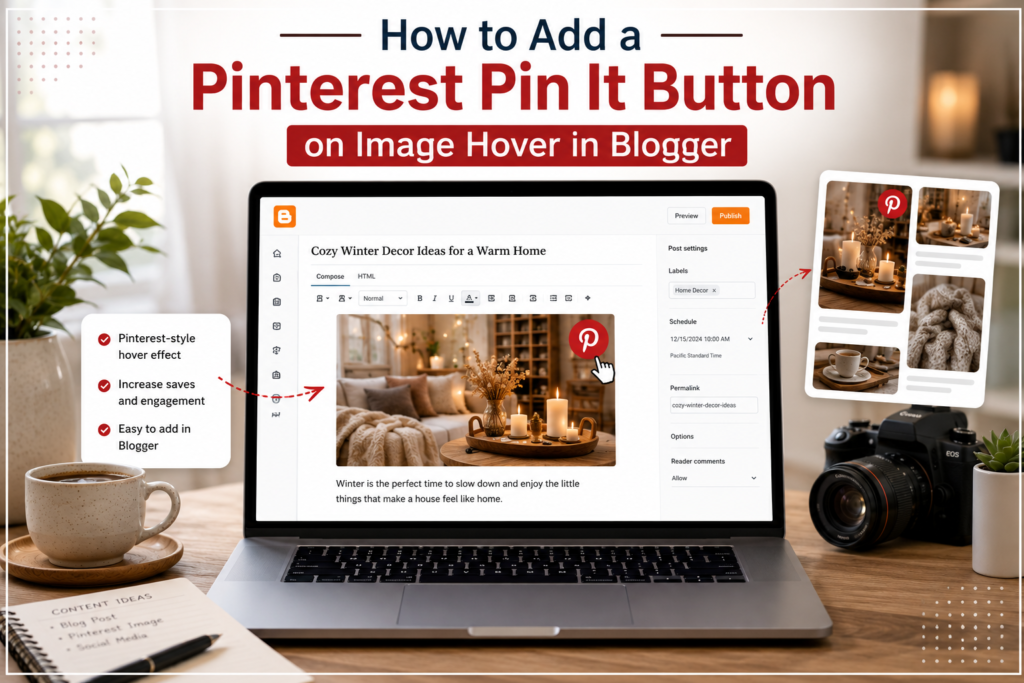
One feature that gained popularity among Blogger users was the Pinterest Pin It button that appears when visitors hover their mouse over an image. Instead of manually copying links or saving images, readers can instantly save content to their Pinterest boards with a single click. Although the original tutorials for this feature were created years ago, the concept remains useful today because visual content continues to play an important role in content distribution.
In this guide, you’ll learn what a Pinterest image-hover button does, when it makes sense to use it, how to implement it on a Blogger website, and how to avoid common issues that can affect usability and performance.
What Does a Pinterest Pin It Button on Image Hover Do?
A Pinterest Pin It button on image hover is a sharing feature that displays a Pinterest save button whenever a visitor places their cursor over an image.
When clicked, the button allows users to save the image directly to Pinterest. The saved pin can include the image itself, the article URL, and supporting information that helps Pinterest understand the content.
For bloggers, this creates a much smoother sharing experience. Readers no longer need to leave the page, search for sharing options, or manually copy content. The image becomes immediately shareable, encouraging more interaction with visual content.
This type of sharing feature is especially common on:
- Tutorial blogs
- DIY websites
- Recipe blogs
- Travel blogs
- Photography websites
- Design and inspiration blogs
- Educational content sites
When Should Blogger Users Use This Feature?
Not every blog benefits equally from image-hover sharing.
If your content relies heavily on visuals, adding Pinterest sharing can be worthwhile. Tutorials with screenshots, infographics, step-by-step guides, product images, and creative projects often perform better when readers can easily save useful visuals for later reference.
Pinterest sharing is particularly useful for bloggers who publish evergreen content. Articles that remain relevant for months or years can continue receiving traffic long after publication because saved pins may continue circulating on Pinterest.
You should strongly consider using a Pinterest image-hover button if your blog regularly publishes:
- Visual tutorials
- Infographics
- Design inspiration
- Photography content
- Home improvement projects
- Craft guides
- Food and recipe content
- Educational graphics
For text-heavy articles with few images, the impact is generally smaller.
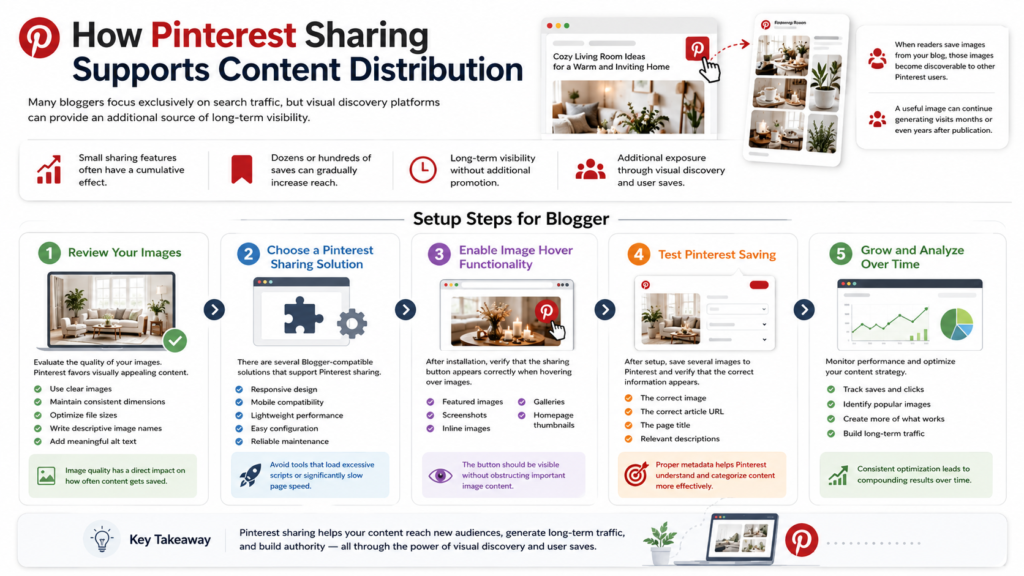
How Pinterest Sharing Supports Content Distribution
Many bloggers focus exclusively on search traffic, but visual discovery platforms can provide an additional source of long-term visibility.
When readers save images from your blog, those images become discoverable to other Pinterest users. Over time, a single useful image can be saved repeatedly, creating additional exposure for the original article.
This is one reason Pinterest remains relevant for content creators. A useful image can continue generating visits months or even years after publication.
Small sharing features often have a cumulative effect. While a single save may not seem significant, dozens or hundreds of saves can gradually increase the reach of an article without requiring additional promotion.
Setup Steps for Blogger
Adding Pinterest image-hover functionality to Blogger typically involves using a sharing widget, a third-party integration, or a custom implementation that displays a save button when images are hovered.
Step 1: Review Your Images
Before adding any sharing feature, evaluate the quality of your images.
Pinterest favors visually appealing content, so blurry screenshots or poorly sized images are less likely to be saved and shared.
Good practices include:
- Using clear images
- Maintaining consistent dimensions
- Optimizing file sizes
- Writing descriptive image names
- Adding meaningful alt text
Image quality has a direct impact on how often content gets saved.
Step 2: Choose a Pinterest Sharing Solution
There are several Blogger-compatible solutions that support Pinterest sharing.
When evaluating options, look for:
- Responsive design
- Mobile compatibility
- Lightweight performance
- Easy configuration
- Reliable maintenance
Avoid tools that load excessive scripts or significantly slow page speed.
Step 3: Enable Image Hover Functionality
After installation, verify that the sharing button appears correctly when hovering over images.
Test the widget on:
- Featured images
- Screenshots
- Inline images
- Galleries
- Homepage thumbnails
The button should be visible without obstructing important image content.
Step 4: Test Pinterest Saving
After setup, save several images to Pinterest and verify that the correct information appears.
Check that Pinterest captures:
- The correct image
- The correct article URL
- The page title
- Relevant descriptions
Proper metadata helps Pinterest understand and categorize content more effectively.
Mobile Considerations
Traditional hover effects were originally designed for desktop devices.
Mobile users interact differently because touchscreens do not support mouse-hover behavior. As a result, modern Pinterest integrations often provide alternative sharing methods for mobile visitors.
Before finalizing your setup, test the experience on:
- Smartphones
- Tablets
- Mobile browsers
- Different screen sizes
A sharing feature that works perfectly on desktop but breaks mobile usability can create a poor user experience.
Common Issues and How to Fix Them
The Button Does Not Appear
This is usually caused by an installation issue or a script conflict.
Check whether:
- The widget is enabled
- Scripts are loading correctly
- Blogger template modifications are compatible
Images Cannot Be Saved
Pinterest must be able to access image URLs.
Verify that:
- Images are publicly available
- Image URLs are valid
- There are no restrictions preventing image access
The Blog Becomes Slower
Some sharing widgets rely on multiple external scripts.
If page speed decreases noticeably:
- Remove unnecessary sharing tools
- Use lighter alternatives
- Reduce third-party requests
Performance should always remain a priority.
Mobile Display Problems
Responsive issues may occur when sharing buttons overlap content.
Test thoroughly on different devices and adjust positioning when necessary.
Image Optimization Tips for Better Pinterest Sharing
Adding a sharing button alone is not enough. Images should also be optimized for discovery.
Consider the following best practices:
- Use descriptive file names
- Write useful alt text
- Create compelling featured images
- Compress images without sacrificing quality
- Maintain consistent branding
- Use readable visual layouts
Strong visuals encourage users to save and revisit content.
Frequently Asked Questions
Does Blogger support Pinterest sharing?
Yes. Blogger supports various sharing integrations, including Pinterest-focused widgets and image-sharing tools.
Do visitors need a Pinterest account?
Yes. Users generally need a Pinterest account to save content to boards.
Will a Pinterest widget affect site speed?
It depends on the implementation. Lightweight solutions typically have minimal impact, while script-heavy tools may slow page performance.
Is image-hover sharing still useful today?
Yes. Visual discovery continues to play an important role in content distribution, particularly for evergreen and highly visual content.
Does the feature work on mobile devices?
Most modern implementations include mobile-friendly alternatives, although traditional hover effects are primarily designed for desktop environments.
Final Thoughts
A Pinterest Pin It button on image hover remains a practical enhancement for Blogger websites that publish visual content. While the technology behind sharing tools has evolved, the underlying goal remains the same: make useful content easier to discover, save, and share.
For bloggers who regularly publish tutorials, guides, infographics, or creative content, simplifying image sharing can help extend the reach of valuable articles over time. Combined with strong image optimization and a thoughtful content strategy, Pinterest sharing remains a useful addition to many Blogger websites.
If you’re looking to improve engagement even further, explore our blog widget tutorials for additional Blogger enhancements, discover useful blog engagement tools that help readers interact with your content, and learn the fundamentals of content distribution basics to maximize the reach of your published articles.